Showing posts with label firewall. Show all posts

Wednesday, June 29, 2016

FIREWALL SETTINGS TO ALLOW PORTS ON WINDOWS SERVER


Firewall settings to allow connections via ports for SQL SERVER on WINDOWS SERVER


 Opening up ports will allow the public/private connections to connect to DB via certain ports. This is a security feature that has to be enforced in a real time windows server in a secured environment.

 Goto >> control panel >> system and security


Then goto >> windows firewall and select advanced settings.


You will see inbound & outbound rules. These are the settings that need to be changed in order to allow or block connections.


select inbound rules and edit them. You can specify the ports that you would like to allow for inbound connections. Enter the below ports.


Select Allow the connection


Select types of connections you want to allow


Name the inbound connection rule


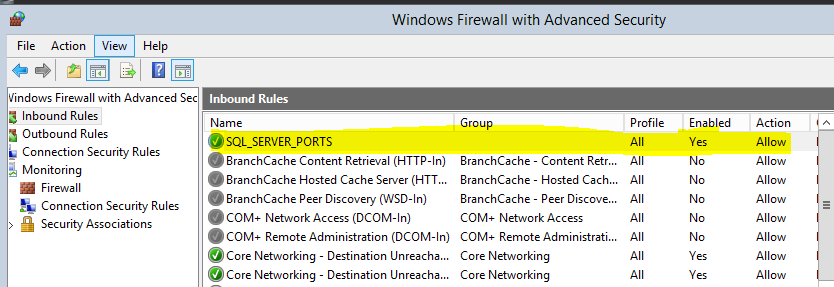
 Click on the inbound rules and verify the new rule has been added to list.


Thursday, March 24, 2016

Open Linux ports on firewall


One important firewall setting that every NIX admin should learn is about the ports and firewall security. As these are the heart of any server. An invalid or miss-configuration can lead to many threats to organizations data.

It is a good practice to close enable firewall settings on. Always open only those ports in firewall that are required for access. Close unnecessarily open ports immediately when not needed.

You can only set/see these settings when logged in as root user. Once logged in as root, firewall settings are part of administration under system. Clicking on firewall will give you below screen.


In this below screen i wan to open up port 1521 for my oracle database to be accessed from other machines. Clicking on Other ports >> Add >> user defined.

Will give you ability to allow this port via firewall settings. This is just a high level config. You can also set advanced settings selecting other options but that's out of scope for this tutorial. That's it port 1521 is available for outside world now on your host IP.